
AI & Tools
AI Tools for Work: 15 Practical Options for Different Career Tasks
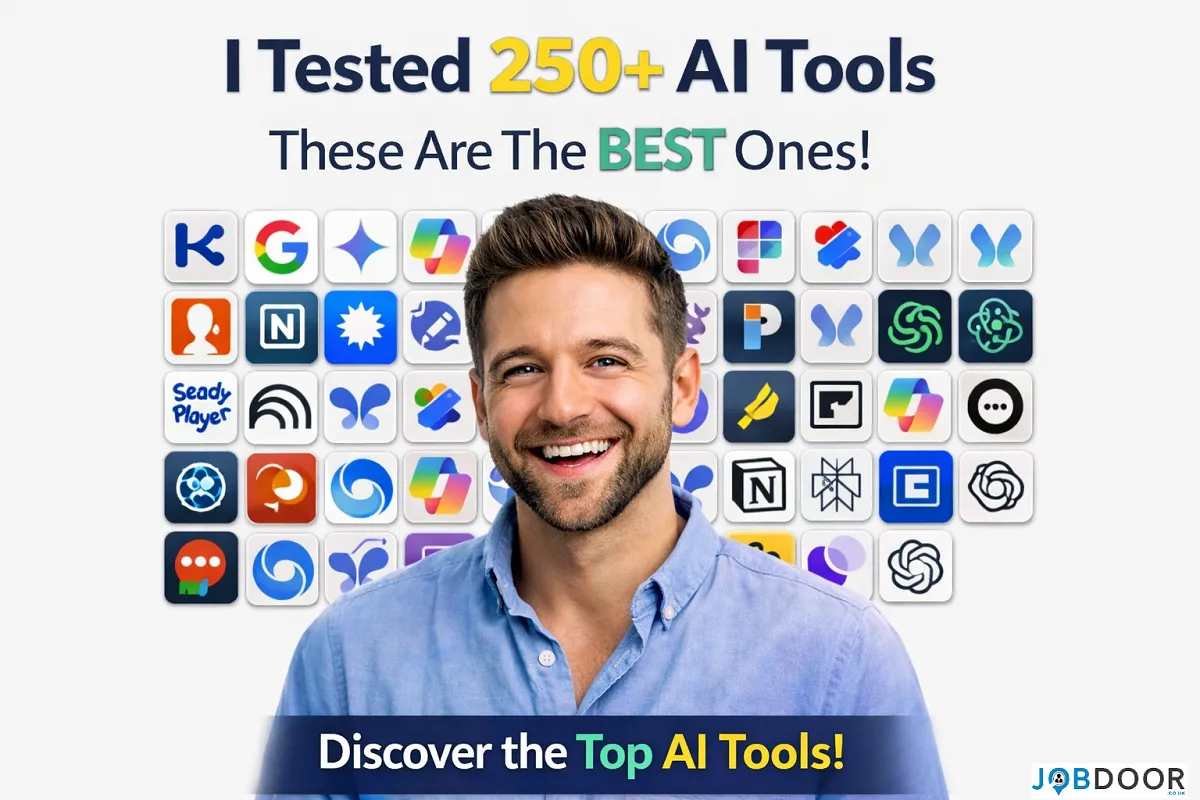
AI is becoming part of everyday work, but you do not need dozens of complicated tools to benefit from it. The better approach is to choose a few tools that solve real problems, such as researching information, preparing presentations, organising projects, improving communication, creating content, or handling repetitive tasks.
This guide focuses on 15 AI tools that can help professionals, job seekers, freelancers and small teams work more efficiently. The goal is not to collect as many tools as possible. It is to understand what each tool is useful for and where it can fit into your working routine.
Why AI Tools Matter for Modern Careers
AI is changing how many tasks are completed at work. Writing, research, presentations, meeting notes, video editing, project planning and data gathering can all be supported by AI.
That does not mean every professional needs to become an AI expert. In most careers, practical AI skills are more useful than knowing the names of hundreds of platforms.
A good starting point is simple:
- Identify a task that takes too much time.
- Find an AI tool that can assist with that task.
- Check the output instead of trusting it blindly.
- Keep your own judgement and professional knowledge in control.
- Use the tool consistently if it genuinely improves your workflow.
15 AI Tools That Can Help You Work Smarter
1. Claude – Useful for Documents, Writing and Analysis
Claude can help professionals work with long documents, organise information, draft content and analyse complex material. It can be useful when you need to turn a large amount of information into a clearer summary or structured set of notes.
Useful for: Research, writing, document analysis, brainstorming and professional communication.
Career value: It can help reduce the time spent on first drafts and information organisation while leaving the final judgement to you.
2. Poe – Compare Different AI Models
Poe provides access to multiple AI models through one platform. This can be useful when you want to compare how different models handle the same question, writing task or idea.
Useful for: Brainstorming, experimentation, writing and comparing AI responses.
Career value: Comparing outputs can help you understand which type of AI assistant works best for different tasks.
3. Gamma – Create Presentations Faster
Creating a professional presentation can take hours when you start with a blank slide deck. Gamma can help turn an outline or idea into a structured presentation and visual document.
Useful for: Presentations, reports, proposals, training material and project updates.
Career value: Strong presentation skills matter in many jobs, and AI can help you spend more time improving the message instead of formatting every slide manually.
4. Leonardo AI – Create Professional Visuals
Leonardo AI can generate and edit visual content from prompts. It can be useful for professionals who need concepts, illustrations, marketing visuals or creative assets without starting every project from scratch.
Useful for: Design concepts, marketing, creative projects and visual content.
Career value: Understanding how to direct AI image tools can be a useful digital skill for designers, marketers and content professionals.
5. Pictory – Turn Written Content Into Video
Pictory can help convert written material into video content. This can be useful when a business, educator or creator wants to repurpose an existing article, script or presentation into another format.
Useful for: Training videos, educational content, marketing videos and content repurposing.
Career value: The ability to repurpose information across formats is increasingly useful in digital marketing and communications roles.
6. OpusClip – Repurpose Long Videos
OpusClip is designed to help turn longer videos into shorter clips. It can identify sections that may work as short-form content and assist with editing and captions.
Useful for: Social media teams, educators, marketers, podcasters and video creators.
Career value: Video editing and content repurposing are practical skills for digital and communications careers.
7. Synthesia – Create Training and Explainer Videos
Synthesia uses AI avatars and voice technology to create videos without requiring a traditional filming setup. It can be particularly useful for internal training, onboarding and educational material.
Useful for: Employee training, onboarding, tutorials and business communication.
Career value: HR, learning and development, training and communications teams can use these tools to create repeatable training resources.
8. Durable – Build a Website With AI Assistance
Durable can help users create a basic business website and supporting content with AI assistance. It can be useful for freelancers and small businesses that need to create an online presence quickly.
Useful for: Freelancers, small businesses and people testing a business idea.
Career value: Basic website and digital-business skills can complement careers in marketing, sales, freelancing and entrepreneurship.
9. Browse AI – Automate Web Data Collection
Browse AI is designed for extracting and monitoring information from websites without requiring traditional programming skills for every task.
Useful for: Research, competitor monitoring, market research and repetitive web-data tasks.
Career value: Professionals in research, marketing, operations and business analysis can benefit from reducing repetitive information-gathering work.
10. Taskade AI – Plan Projects and Workflows
Taskade combines project organisation with AI assistance. It can help with planning tasks, creating lists, brainstorming ideas and organising projects.
Useful for: Project planning, team organisation, brainstorming and personal productivity.
Career value: Good organisation is useful in almost every workplace, especially when managing multiple projects and deadlines.
11. Kaiber – Create AI-Powered Visual Content
Kaiber focuses on creating and transforming visual content with AI. It can be useful for creative professionals experimenting with animation, music visuals and other forms of digital storytelling.
Useful for: Creative projects, visual storytelling, music content and digital media.
Career value: It can help creative professionals experiment with new production workflows and build digital-media skills.
12. Runway – AI Video Editing and Generation
Runway provides AI-powered tools for video creation and editing. Depending on the task, it can assist with visual effects, background work and generative video workflows.
Useful for: Video editing, marketing, filmmaking, social content and creative production.
Career value: AI-assisted video production is becoming a useful addition to traditional editing skills.
13. Krisp – Improve Online Meeting Audio
Krisp can reduce background noise and improve audio quality during online calls and recordings. This is especially useful for people working remotely or regularly attending virtual meetings.
Useful for: Remote work, interviews, online meetings, webinars and recordings.
Career value: Clear communication matters during interviews and professional meetings, particularly in remote and hybrid workplaces.
14. Tome – Structure Ideas Into Visual Stories
Tome can help turn ideas into visual presentations and narrative documents. It can be useful when you have information to communicate but need help creating a logical structure.
Useful for: Presentations, proposals, storytelling and project communication.
Career value: Being able to communicate an idea clearly can be just as important as having the idea itself.
15. Notion AI – Organise Work and Information
Notion AI combines AI assistance with a workspace for notes, documents, projects and knowledge management. It can help summarise information, brainstorm ideas and organise written material.
Useful for: Notes, project management, research, documentation and planning.
Career value: Strong information organisation can make it easier to manage projects, research and recurring responsibilities.
How to Choose the Right AI Tool for Your Career
You do not need to use all 15 tools. In fact, using too many tools can create more work rather than less.
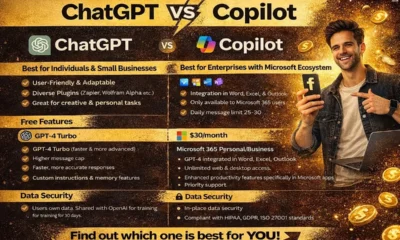
For a broader task-based comparison, see Best AI Tools by Task. If you are comparing general AI assistants, our ChatGPT vs Microsoft Copilot guide can help with workplace use cases.
Start by identifying one problem in your current workflow.
| Work problem | AI tool type to consider |
|---|---|
| Too much writing | AI writing and document assistants |
| Long documents are difficult to process | AI research and document-analysis tools |
| Presentations take too long | AI presentation tools |
| Video editing is slow | AI video tools |
| Meetings have distracting background noise | AI audio tools |
| Projects are difficult to organise | AI productivity and project tools |
| Manual web research takes too long | Web-data and automation tools |
AI Skills Matter More Than Knowing AI Tools
One of the biggest mistakes professionals make is collecting AI tools without developing the skills needed to use them properly.
If you are building your career, focus on practical AI literacy rather than trying to memorise every new platform. Our guide to AI skills for job seekers covers the core abilities that matter across many roles.
Employers are unlikely to care simply because you know the names of 50 AI platforms. What matters more is whether you can use technology to solve problems responsibly.
Useful AI-related career skills include:
- Writing clear prompts and instructions.
- Checking AI-generated information.
- Protecting confidential and personal information.
- Editing AI-generated content.
- Combining AI with existing professional knowledge.
- Choosing the right tool for a particular task.
- Knowing when not to use AI.
Should You Put AI Tools on Your CV?
You can mention AI tools on your CV when they are relevant to the role and you can explain how you used them.
For example, simply writing:
“ChatGPT, Claude, Gamma, Notion AI”
does not tell an employer much.
A stronger description would explain the result:
“Used AI-assisted research and presentation tools to organise information, prepare project materials and reduce repetitive drafting work.”
The second approach shows a skill rather than a list of software names.
How to Use AI at Work Responsibly
AI tools can produce incorrect, incomplete or misleading information. You should always review important outputs before using them professionally.
Be especially careful with:
- Company-confidential information.
- Customer or employee data.
- Financial information.
- Legal or regulatory material.
- Research findings.
- Facts that could affect an important business decision.
AI should support your judgement, not replace it.
A Simple AI Workflow for Professionals
You can start with a simple five-step process:
- Choose one repetitive task.
- Select one suitable AI tool.
- Give the tool clear instructions and useful context.
- Review and correct the output.
- Measure whether the tool actually saves time or improves quality.
If the tool does not improve the result, stop using it. AI should make work better, not simply make your workflow more complicated.
Frequently Asked Questions
Do I need all 15 AI tools?
No. Start with the tool type that solves a real problem in your current work and add another only when it provides a clear benefit.
Should I list AI tools on my CV?
You can mention them when they are relevant and you can explain how you used them. Showing the result of your work is usually stronger than listing software names alone.
Are AI tools useful for non-technical jobs?
Yes. AI can support writing, research, meetings, presentations, administration, customer service, project work and many other non-technical tasks.
How do I choose an AI tool for work?
Start with the task, not the tool. Define the problem, test one or two suitable options, check the output quality and measure whether the tool actually improves your workflow.
Final Thoughts
The most useful AI tool is not necessarily the newest or most popular one. It is the tool that solves a real problem in your work.
Whether you are searching for a job, preparing for an interview, managing projects, creating content or developing your career, practical AI skills can help you work more efficiently.
Instead of trying to master hundreds of platforms, start with one task, one tool and one measurable improvement. As your confidence grows, you can gradually build a practical AI toolkit around your career.








How to Start a Career in Sports and Leisure in the UK
A practical guide to sports and leisure careers in the UK, covering jobs, qualifications, apprenticeships, skills, experience, CVs and career...


How to Start a Career in Travel and Tourism in the UK
Travel and tourism is a broad career sector with opportunities in travel agencies, airports, airlines, visitor attractions, tours, hotels, heritage...


How to Start a Career in Property and Real Estate in the UK
Property and real estate is a broad career field covering residential property, commercial buildings, land, development, valuation, lettings, property management...


How to Start a Career in Hospitality in the UK
Thinking about hospitality as a career in the UK? Compare hotel, restaurant and guest service roles, entry routes, skills, apprenticeships...


How to Start a Career in Retail in the UK
Thinking about a retail career in the UK? Compare retail roles, entry routes, apprenticeships, skills, experience, CV tips and ways...


How to Start a Career in Science and Research in the UK
Planning a science or research career in the UK? Compare career paths, qualifications, apprenticeships, skills and practical ways to get...


How to Start a Career in Law in the UK
Thinking about a career in law? This guide explains UK legal career routes, qualifications, solicitor and barrister pathways, apprenticeships, skills,...


How to Start a Career in Education in the UK
Thinking about a career in education? Compare teaching and non-teaching roles, qualifications, apprenticeships, experience, skills and practical steps for getting...


How to Start a Career in Marketing in the UK
Marketing is a broad career field that combines communication, creativity, research, data and business thinking. It includes traditional marketing as...


How to Start a Career in Healthcare in the UK
Healthcare is one of the UK’s broadest career areas. It includes doctors and nurses, but also healthcare assistants, laboratory staff,...


How to Start a Career in Human Resources (HR) in the UK
Photo by Vitaly Gariev on Unsplash Human resources, usually called HR, is a people-focused career that combines communication, organisation, business...


How to Start a Career in Construction in the UK
Construction is one of the UK’s broadest career sectors. It includes hands-on trades such as bricklaying, carpentry and plumbing, as...


How to Start a Career in Energy and Utilities in the UK
Planning a career in energy and utilities in the UK? See job options, apprenticeships, qualifications, skills and practical steps to...


How to Start a Career in Media and Communications in the UK
Planning a media and communications career in the UK? Compare job options, entry routes, apprenticeships, skills, experience and practical steps...


How to Start a Career in Environmental and Sustainability Jobs in the UK
Environmental and sustainability careers are becoming an important part of many UK workplaces. Jobs in this area can involve protecting...


How to Start a Career in Cybersecurity in the UK
Thinking about a cybersecurity career in the UK? Here is a practical guide to skills, qualifications, entry-level roles, applications and...


How to Start a Career in Engineering in the UK
Thinking about engineering as a career in the UK? Here is a practical guide to engineering fields, qualifications, apprenticeships, skills,...


How to Start a Career in Government and Public Services in the UK
Thinking about a career in government or public services? This guide covers job options, entry routes, apprenticeships, skills, applications and...


Rolls-Royce Internship UK: Eligibility, Opportunities & How to Apply
Find Rolls-Royce internships in the UK with practical guidance on eligibility, opportunities, applications, assessments, skills and preparation.


How to Start a Career in Transport and Logistics in the UK
Planning a career in transport and logistics in the UK? See entry-level roles, apprenticeships, qualifications, skills and practical steps to...
-
 Career3 years ago
Flexible Jobs for Older Adults in the UK: 7 Career Options
-
 How-to8 months ago
How to Use Google Gemini for Freelance Work and Career Skills
-
 Jobs8 months ago
Second Jobs in the UK: 15 Practical Ways to Earn Extra Income
-

 Career2 years ago
Free Job Posting Sites in the UK: Options for Employers
-
 How-to8 months ago
How to Build Passive Income: 20 Income-Producing Assets for Long-Term Financial Growth
-
 AI & Tools8 months ago
How to Use Google Gemini for Productivity at Work
-

 Job Description3 years ago
Support Worker Job Description: Duties, Skills, Salary and Career Guide UK
-
 AI & Tools8 months ago
ChatGPT vs Microsoft Copilot: Which AI Is Best for You?